Documentation Index
Fetch the complete documentation index at: https://docs.dialai.ca/llms.txt
Use this file to discover all available pages before exploring further.
Dial AI chat links are built to be embeddable in external applications. This allows customers to interact with Grace on
an existing website or application they already use.
Creating a Chat Link
You can create an embeddable chat link by adding a Web Point of Contact (Agent > Points of Contact > Web > Create).
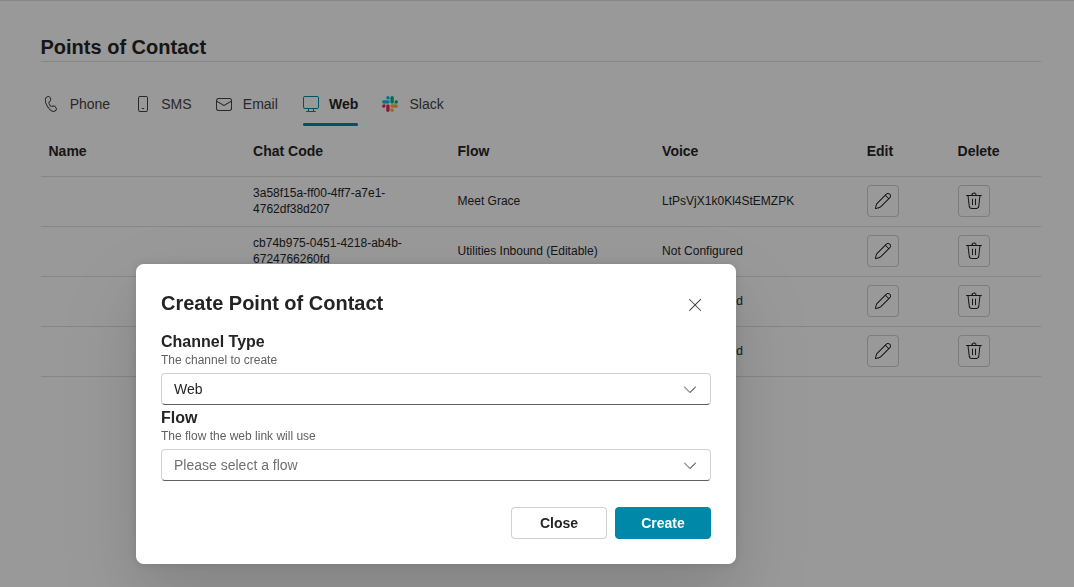 After creating the chat link, you should give it a name. This will appear under “point of contact” in the conversation’s
page once people start using it.
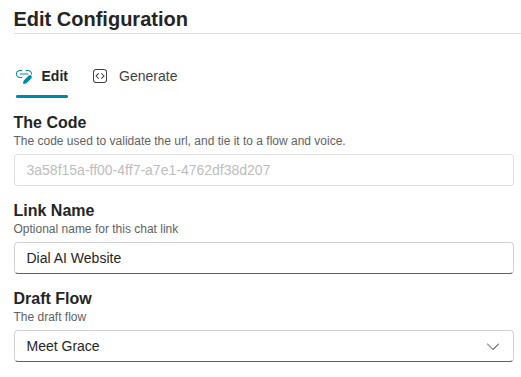
After creating the chat link, you should give it a name. This will appear under “point of contact” in the conversation’s
page once people start using it.
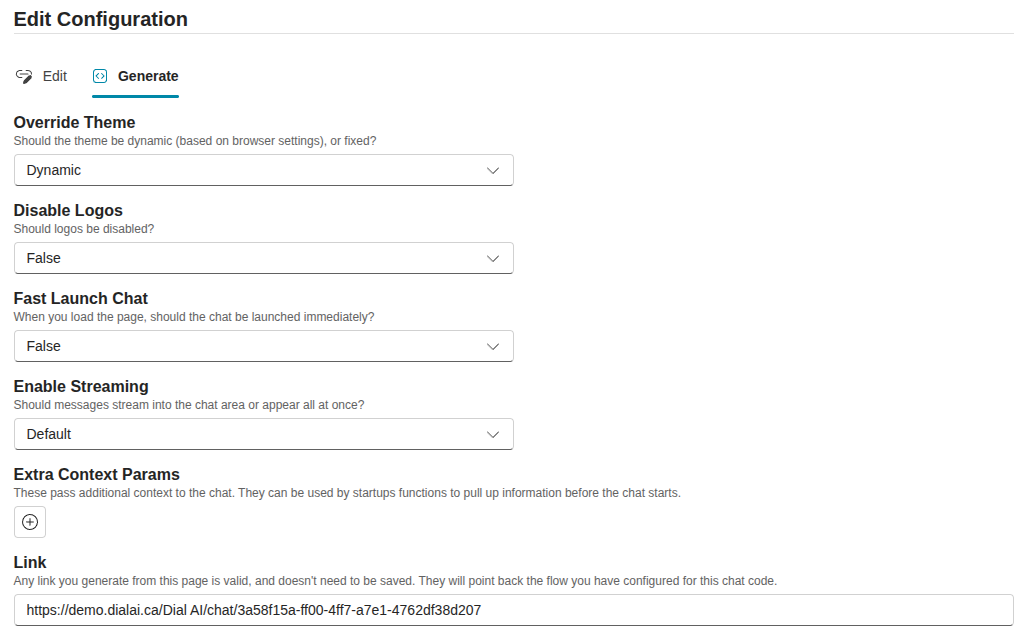
 Finally, you can go to the “Generate” tab to copy the embeddable link. There are also a host of options to customize the
chat link.
Finally, you can go to the “Generate” tab to copy the embeddable link. There are also a host of options to customize the
chat link.
Embedding the Chat Link
The simplest way to embed the chat link is to use an <iframe> tag.
<iframe src="https://demo.dialai.ca/Dial AI/chat/3a58f15a-ff00-4ff7-a7e1-4762df38d207" width="1000"
        height="1000"></iframe>
document
    .getElementById('toggle-chat')
    .addEventListener('click', () => {
        const id = 'dial-ai-chat'
        if (document.getElementById(id)) {
            document.getElementById(id).remove()
        } else {
            const iframe = document.createElement('iframe')
            iframe.id = id
            iframe.src = "https://demo.dialai.ca/Dial AI/chat/3a58f15a-ff00-4ff7-a7e1-4762df38d207"
            iframe.width = "500"
            iframe.height = "500"
            document
                .getElementById('root')
                .append(iframe)
        }
    })